Showing posts with label Windows. Show all posts

Tuesday, July 26, 2011

Plex Media Server - Review


Plex Media Center is a set of server and client applications that allow you to organize and play your media from a Mac or PC (with Linux Server Support on the way).  On the client side, there are options not just for Macs and PC's, but for Apple IOS and Android Mobile devices as well.  Plex even includes support for devices such as LG Smart TV's and Roku Streaming Media Players.  With an active development community, Plex is constantly adding features, updates and support for additional services.

While there are many other applications which provide similar functionality, such as Boxee, Plex has a very slick interface and great support across a variety of platforms.  Plex began as a development fork of the Xbox Media Center, and is now supported by a corporation behind the development which includes a freeware/open-source development community as well as some sections which are proprietary and closed-sourced.

Plex provides a great "10 foot experience" when viewed on a television.  The interface for movies, TV and music includes information gathered from the Internet to provide a detailed summary and graphics to identify your selection.

Wednesday, April 13, 2011

Windows 8 - Everything We Know


Just when most people are getting used to Windows 7, it's already time to start looking ahead to Windows 8, scheduled to be release in summer or autumn of 2012.  There's already a lot of information available, both from Microsoft and some enterprising leakers.  Here's a round-up of what looks to be in store for Windows 8:

Improved Interface
Aero will continue to be an interface to Windows 8, but it will be joined by "Immersive", which includes elements of the "Metro" GUI beloved by Windows Phone 7 fans:

Tuesday, February 1, 2011

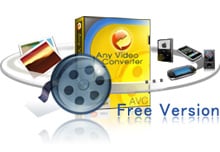
Any Video Converter - The Free and Easy Way to Convert Video Formats


Occasionally, I find myself with a video in an inconvenient format - a .mkv file that I want to load onto my iPad, a high-res clip that I want to upload for web streaming, or an .avi file that I want to burn to DVD. I have used many different utilities over the years, some high-priced and feature-laden, but I have finally come across the most straight-forward application for this, and the best part is, it's free! Any Video Converter can be used very simply - select the file you want to convert, then the format you would like to output - anything from mobile-phone appropriate format to Flash or DVD's. If you want to, you can drill down into the deeper settings, choosing audio formats, quality levels, video size, etc.

It even includes basic editing features, so if you want to pull out a clip or two and assemble them into a new montage, it's as easy as dragging and dropping.

You can download the latest version for Windows from here:
http://www.any-video-converter.com/products/for_video_free/